> ## Documentation Index
> Fetch the complete documentation index at: https://support.customtypeone.com/llms.txt
> Use this file to discover all available pages before exploring further.
# SugarPixel Mini Display Options
Tap a thumbnail in the app to select a display — it updates immediately. Expand a display below to learn more.
## Displays
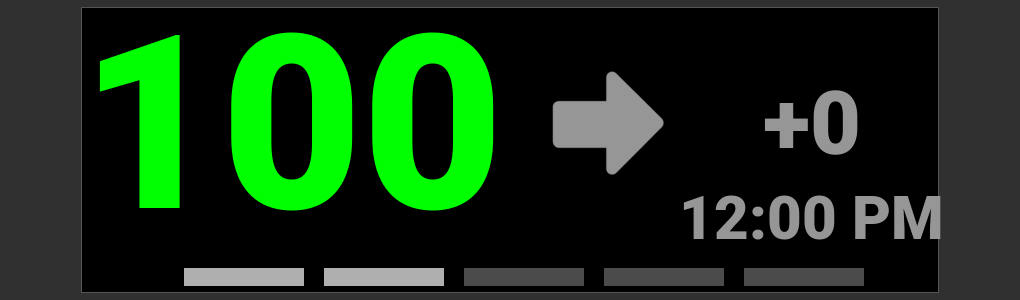 * BG color coded - [Color Reference Chart](/sugarpixel-mini-classic/display-reference#color-reference-chart)
* Delta = change from prior reading, color coded by time elapsed - [Delta Display](/sugarpixel-mini-classic/display-reference#delta-display-reference)
* Bottom bars = minutes since last reading (1 bar = 1 min, 5 bars = 5+ min)
* Old readings show time elapsed since the last reading
* BG color coded - [Color Reference Chart](/sugarpixel-mini-classic/display-reference#color-reference-chart)
* Delta = change from prior reading, color coded by time elapsed - [Delta Display](/sugarpixel-mini-classic/display-reference#delta-display-reference)
* Bottom bars = minutes since last reading (1 bar = 1 min, 5 bars = 5+ min)
* Old readings show time elapsed since the last reading
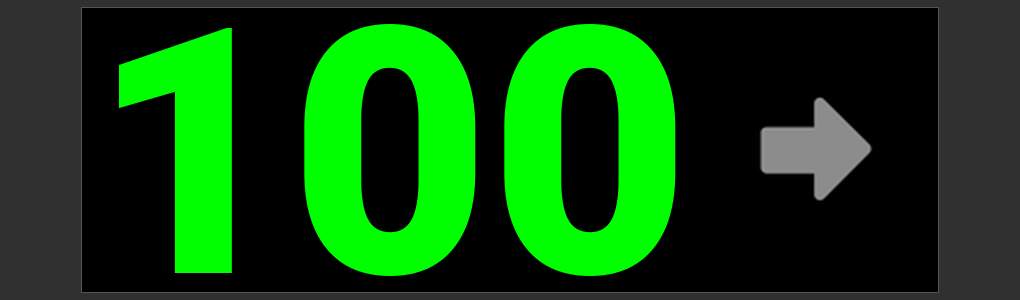 * BG color coded - [Color Reference Chart](/sugarpixel-mini-classic/display-reference#color-reference-chart)
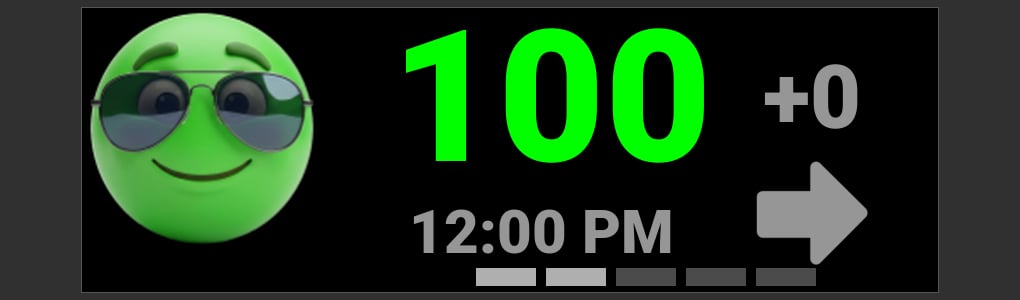 * Emoji face and BG color coded - [Color Reference Chart](/sugarpixel-mini-classic/display-reference#color-reference-chart)
* Bottom bars = minutes since last reading (1 bar = 1 min, 5 bars = 5+ min)
* Old readings show time elapsed since the last reading
* Unicorn: set your threshold value in display settings
* Emoji face and BG color coded - [Color Reference Chart](/sugarpixel-mini-classic/display-reference#color-reference-chart)
* Bottom bars = minutes since last reading (1 bar = 1 min, 5 bars = 5+ min)
* Old readings show time elapsed since the last reading
* Unicorn: set your threshold value in display settings
## Display Settings
### Color Ranges
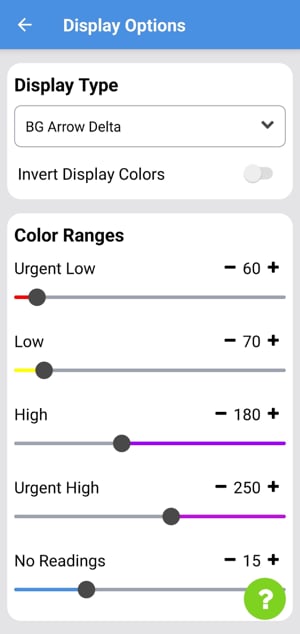 Displays change color based on your current BG. Adjust the **Color Range sliders** to set when each color appears — green is used between your Low and High values. Emoji displays include a **Unicorn** slider.
### Day and Night Brightness
Automatically switches brightness between daytime and nighttime levels based on the times you set.
This documentation is built and hosted on [Mintlify](https://mintlify.com), a developer documentation platform.
Displays change color based on your current BG. Adjust the **Color Range sliders** to set when each color appears — green is used between your Low and High values. Emoji displays include a **Unicorn** slider.
### Day and Night Brightness
Automatically switches brightness between daytime and nighttime levels based on the times you set.
This documentation is built and hosted on [Mintlify](https://mintlify.com), a developer documentation platform.