> ## Documentation Index
> Fetch the complete documentation index at: https://support.customtypeone.com/llms.txt
> Use this file to discover all available pages before exploring further.
# Remote Snooze
The **physical button** on top of SugarPixel Mini/Classic snoozes any active alert for the configured duration. The app also lets you snooze remotely over **Bluetooth**.
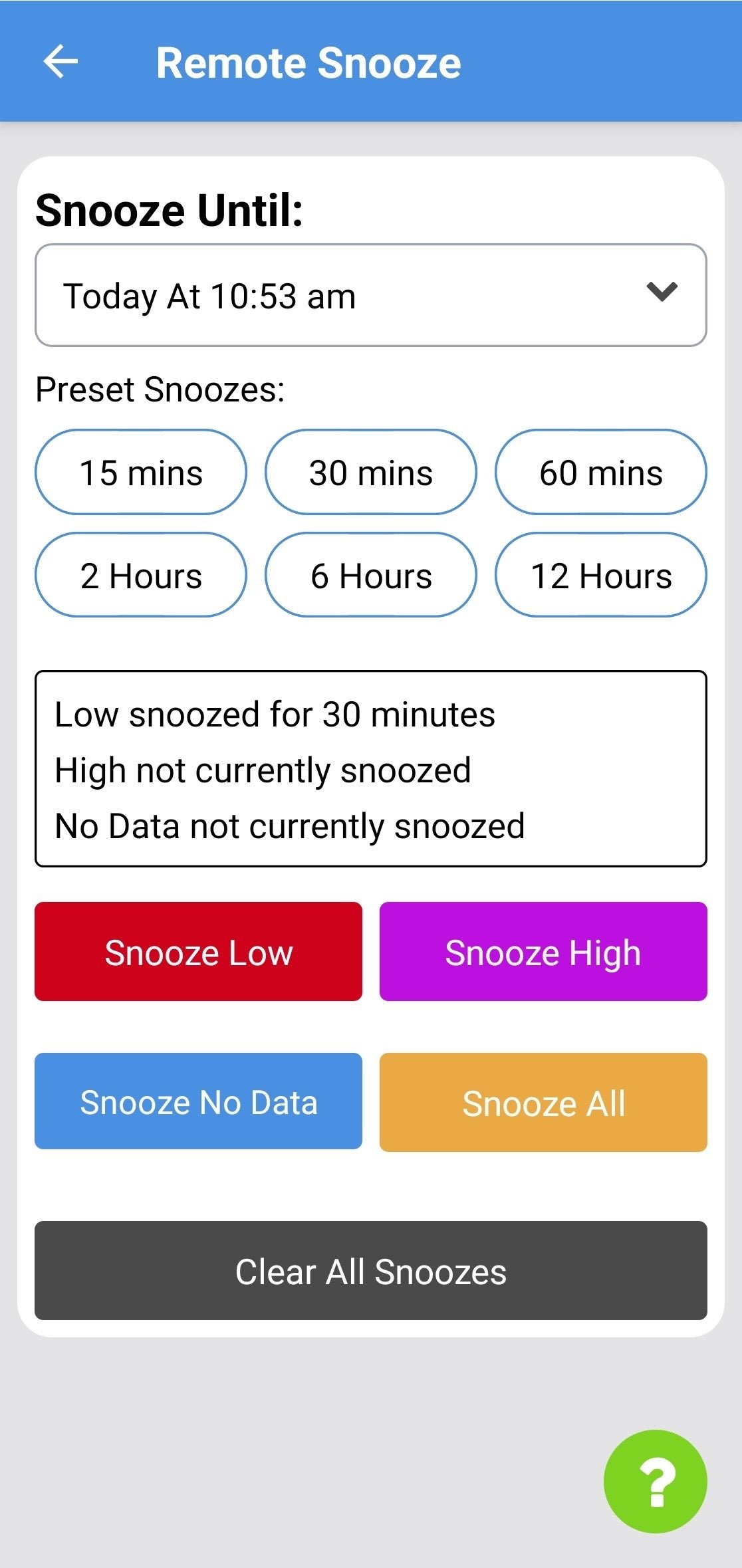 1. **Set a duration**
Use **Snooze Until** to pick a specific time, or choose a **Preset** for a common duration.
2. **Apply the snooze**
Tap **Low**, **High**, **No Data**, or **All**. If no alert is active, it applies as a **pre-snooze** — useful when stepping away from SugarPixel Mini/Classic.
All active snoozes appear on screen. Tap **Clear All Snoozes** to remove them.
Remote snooze requires your phone to be within **Bluetooth range** of SugarPixel Mini/Classic.
This documentation is built and hosted on [Mintlify](https://mintlify.com), a developer documentation platform.