> ## Documentation Index
> Fetch the complete documentation index at: https://support.customtypeone.com/llms.txt
> Use this file to discover all available pages before exploring further.
# Time Settings
1. **Time Zone**
Select the correct time zone — clock displays, Quiet Hours, and alerts all depend on it. If alerts behave unexpectedly, verify this first.
2. **Display 24-Hour Time**
Enables 24-hour time format on displays that show a clock.
Define times when SugarPixel Mini/Classic will not alert. Tap any hour block to toggle it — **red** = alerts off, **green** = alerts on. Each block covers one full hour (e.g. block "10" covers 10:00–10:59). Drag left or right to see all 24 hours.
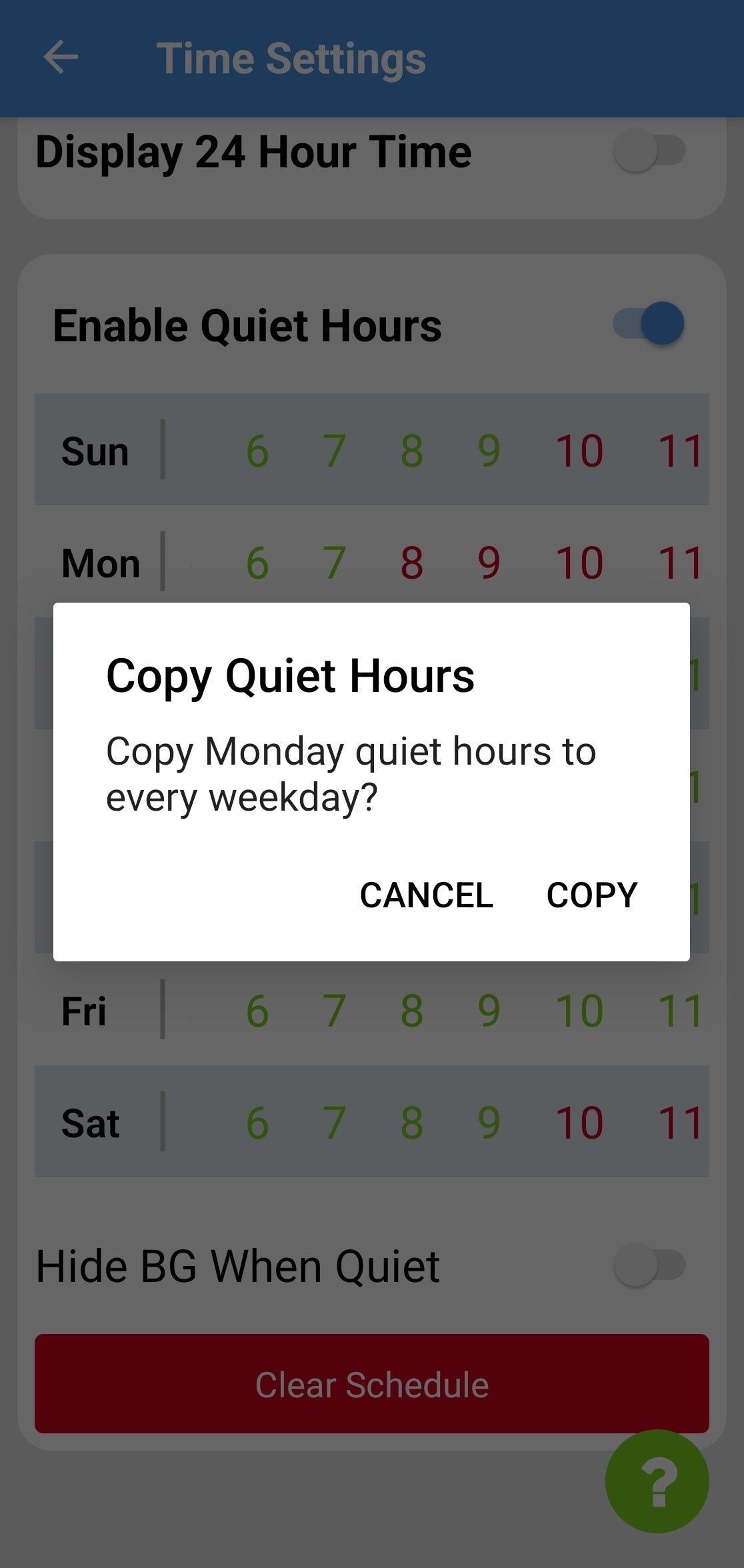
**Copy / Paste Days —** Tap **Sun** to copy Sunday's schedule to Saturday, or **Mon** to copy Monday's schedule to all weekdays. Adjust individual days after.
Use **Clear Schedule** to reset all quiet hours.
Quiet Hours depend on your **Time Zone**, configured in Time Settings. If alerts fire at unexpected times, check that your time zone is correct.
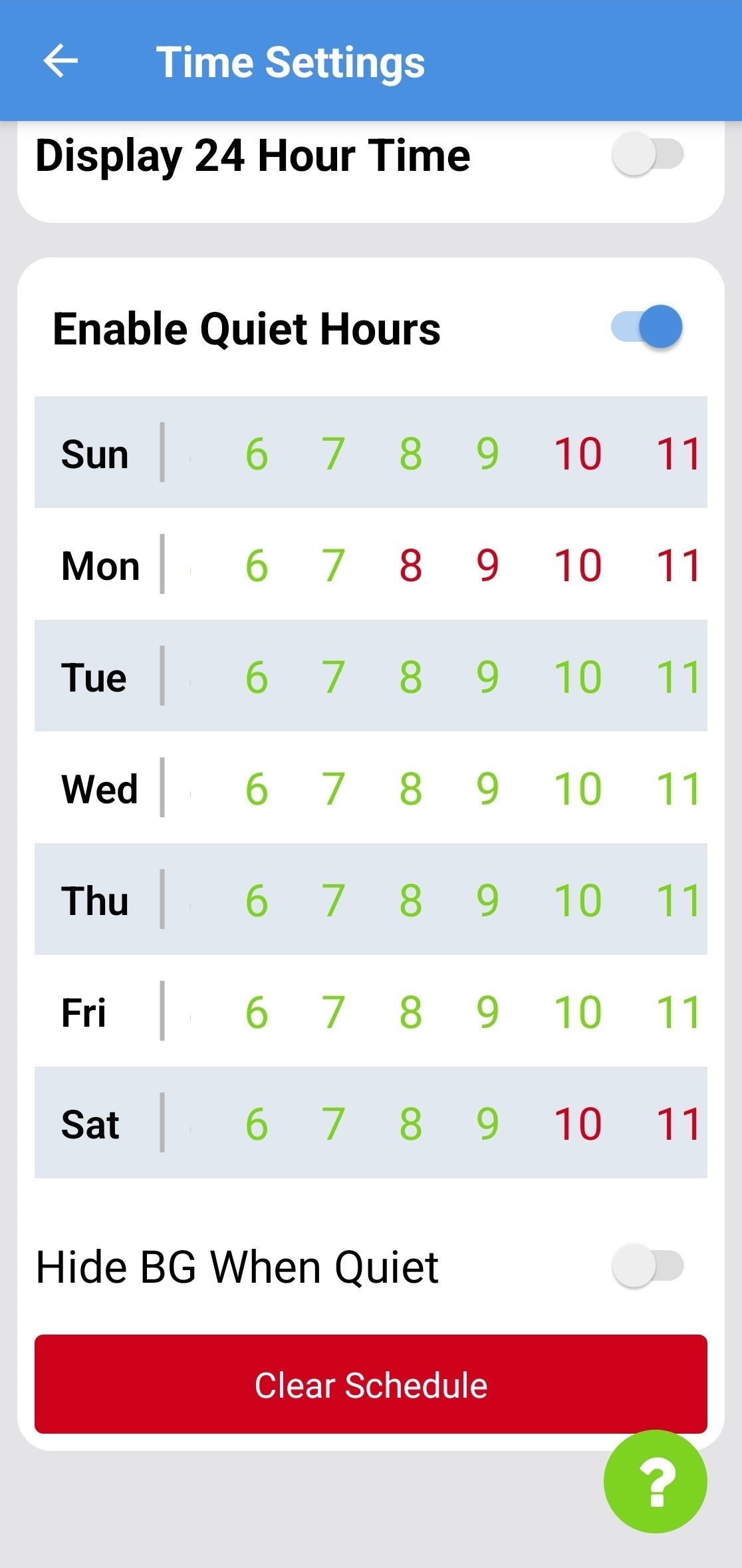
 ### Hide BG During Quiet Hours
When enabled, the display switches to a clock-only view during Quiet Hours, hiding glucose values from the screen.
### Hide BG During Quiet Hours
When enabled, the display switches to a clock-only view during Quiet Hours, hiding glucose values from the screen.
This documentation is built and hosted on [Mintlify](https://mintlify.com), a developer documentation platform.