

- Tap your CGM source: Dexcom, Libre, Nightscout or Gluroo. Choose your CGM below for the login to use.
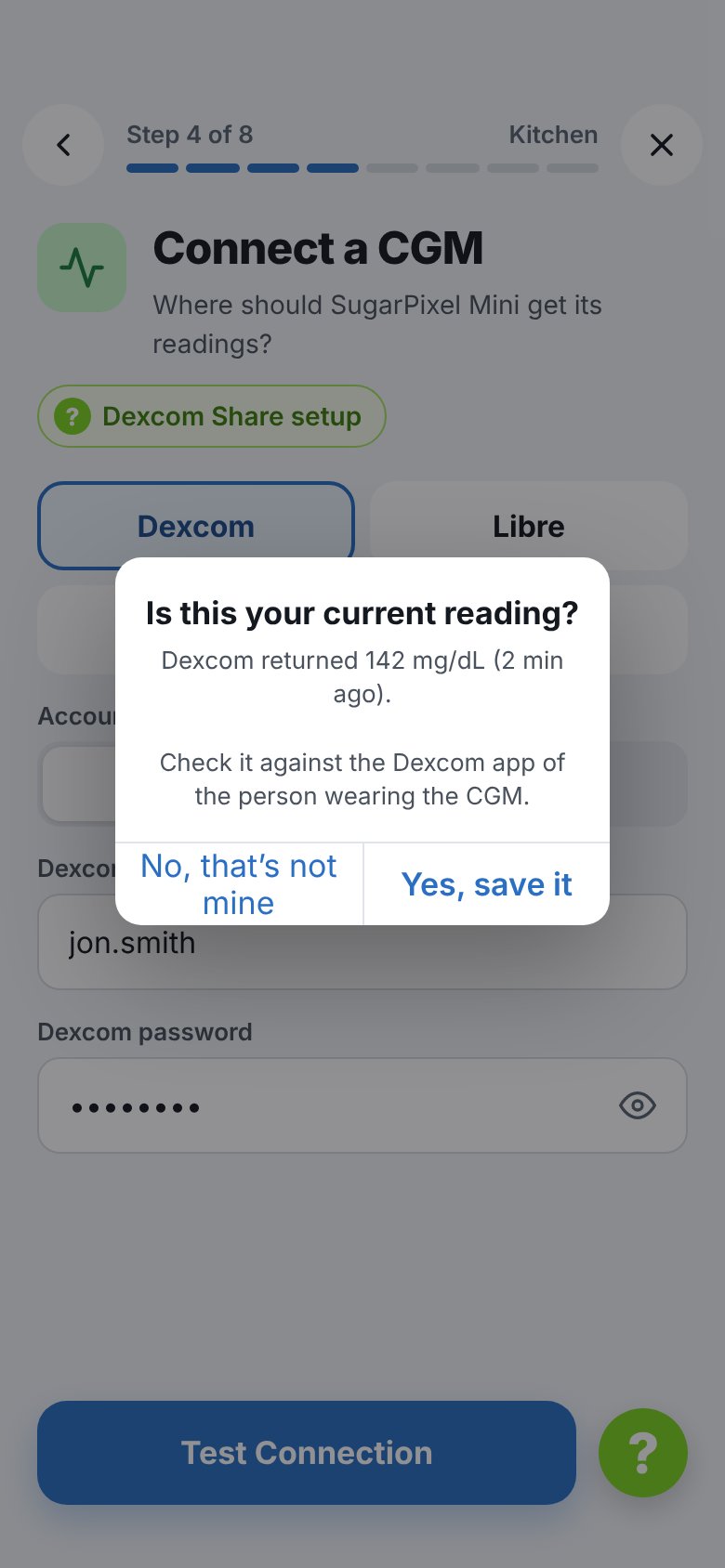
- Enter the login and tap Test Connection. The app checks the login from your phone before anything is sent to SugarPixel Mini/Classic.
- The app shows the latest reading and asks Is this your current reading? Compare it with the CGM app of the person wearing the CGM, then tap Yes, save it. If the number is right but in the wrong units, tap Not mg/dL? Use mmol/L (or the reverse).
Dexcom
Connect using your Dexcom username and Clarity account
Libre LinkUp
Connect using a LibreLinkUp follower account
Gluroo
Connect using your Gluroo Global Connect URL and api_secret
Nightscout
Connect directly to your Nightscout site URL
Unofficial CGM Connections — the following CGMs require third-party apps or workarounds. Test before ordering SugarPixel Mini/Classic. We may not be able to fully support issues with these configurations.
Twiist
Unofficial — connect via Gluroo using Twiist pump integration
Libre FGM (Manual Scan)
Manual scan flash glucose monitor — limited functionality
Dexcom Stelo
Unofficial — requires a third-party bridge app to Nightscout or Gluroo
CamAPS
Unofficial — requires xDrip+ on Android to upload via Nightscout or Gluroo
MiniMed
Unofficial — upload CareLink data via xDrip+ or Guardian Monitor
Eversense
Unofficial — requires an Eversense uploader app and Nightscout or Gluroo